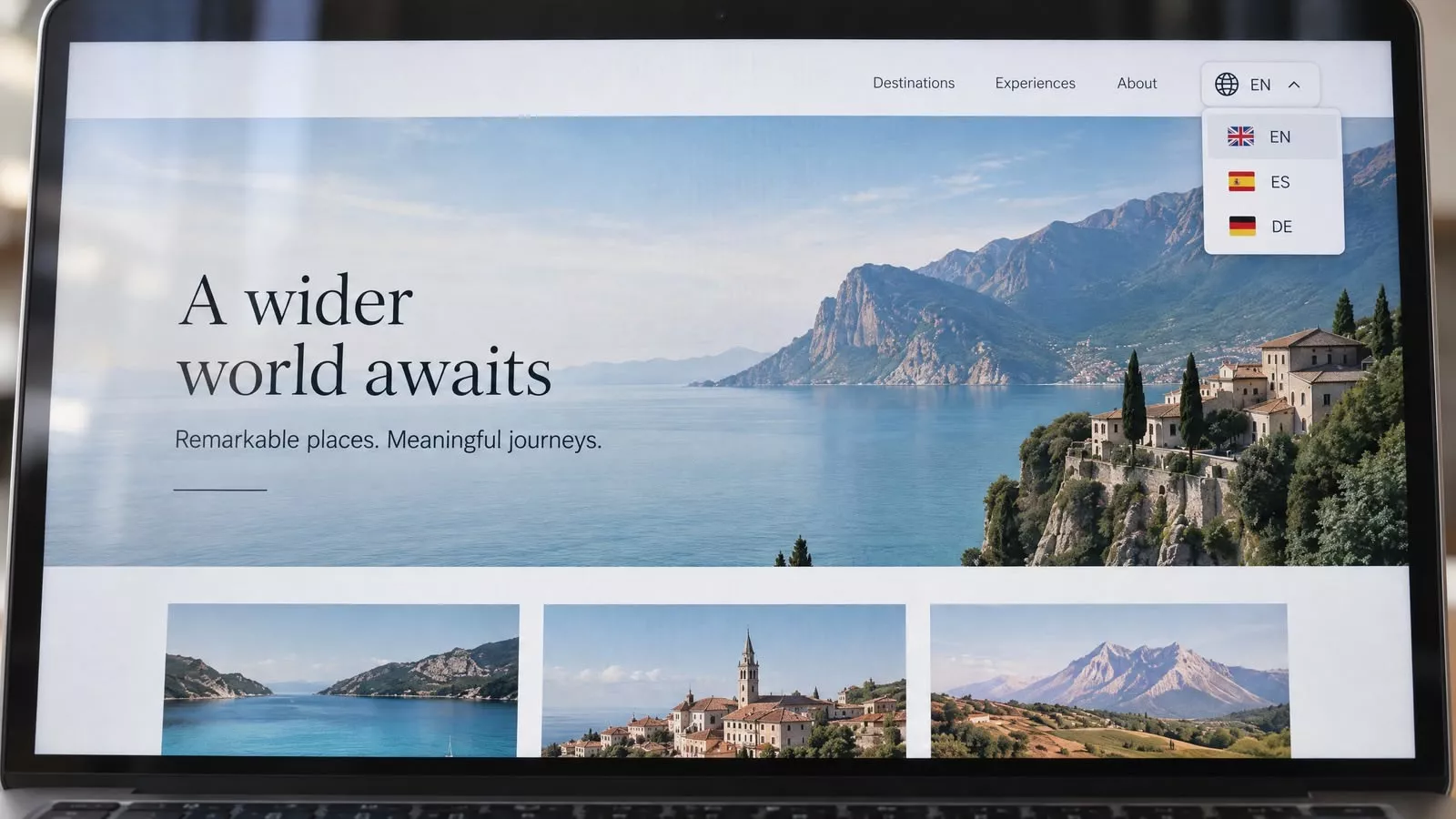
A multilingual website is one of the strongest assets a business with international customers can own — and one of the easiest to get wrong. Done well, each visitor lands on their own language straight from Google, reads a page written for them, and buys. Done badly, a Spanish customer gets the English page, the language versions compete with each other, and the whole site ranks worse than a single-language one would. This guide covers how to structure a multilingual site, how to use hreflang (the signal that tells Google which language is which), and the common hreflang mistakes that quietly cap your reach. We build trilingual sites for a living on the Costa del Sol, so the examples are the same decisions we make for real clients.
The business case: people buy in their own language
Before any code, the reason a multilingual website pays for itself. In the 2020 CSA Research study Can't Read, Won't Buy — a survey of 8,709 consumers across 29 countries — 76% of shoppers said they prefer to buy products with information in their own language, and 40% said they will never buy from websites in other languages. For a business on the Costa del Sol — where your customers might be British expats, Spanish locals, Scandinavian tourists and Russian-speaking residents all in the same week — that is not a nice-to-have. A visitor who cannot read your prices and your guarantees in a language they trust simply leaves.
WebVisa's own site runs in English, Russian and Spanish for exactly this reason: our audience is split between international clients and the local Spanish market, and each group deserves to read about our work in their own words. A multilingual website turns a visitor from another country from a bounce into a lead.
Translation is not automation
The quickest way to wreck a multilingual website is to treat translation as a plugin. Auto-translate widgets that swap the text in the browser on the fly usually hurt more than they help. Google wants each language to live on its own real, crawlable URL — not generated live in the visitor's browser where the crawler never sees a stable page. If the Spanish text only appears after a JavaScript language switcher fires, there is often nothing distinct for Google to index, and your Spanish version never ranks.
Machine translation has the second problem: without a human pass it reads as foreign to native speakers — exactly the customers you are trying to win. A clumsy phrase in your headline or a mistranslated price is enough to break trust. The rule we follow: real, human (ideally native) translation of the pages that matter — services, prices, contact, your best landing pages — beats automatic translation of everything. Each language should also have content written for that market, not just mirrored word-for-word: the keywords a British client types into Google are not the literal translation of the Spanish ones. Multilingual SEO is keyword research in each language, not a copy-paste.
Structure: one clear address per language
Google supports three ways to separate languages, and for most small and medium businesses the real choice is between the first two:
- Subdirectories — site.com/en/, site.com/es/, site.com/ru/. The usual recommendation for SMBs: simple to set up, keeps all your domain authority on one domain, and easy to maintain. Every backlink and every bit of trust you earn feeds one site instead of being split. This is the structure we use and recommend for almost everyone.
- Subdomains — en.site.com, es.site.com. This works, but Google can treat subdomains more like separate sites, so authority is spread thinner. Worth it only when hosting or technical constraints force your hand.
- Country-code domains (ccTLDs) — site.es, site.ru. The strongest geo-signal, but you are now running several separate websites, each building authority from zero. Only sensible for large operations with genuinely separate country teams and budgets.
For a Costa del Sol business serving several language groups from one company, subdirectories win almost every time. Whatever you pick, each language version needs its own stable, crawlable URL that does not change when someone switches language — and that same URL is what every other signal (hreflang, canonical, your sitemap) will point at. If you want this handled end to end, that is part of our website design work.
hreflang done right
hreflang is a set of annotations that link the language versions of a page together and tell Google who each one is for. Get it right and Google shows a Spanish searcher your Spanish page and an English searcher your English one, instead of guessing. Here is what actually matters, straight from Google's own guidance.
Return links must be reciprocal
Every version links to every version — including itself. The English page lists English, Spanish and Russian; the Spanish page lists the same three; and so on. Google is blunt about this: if two pages don't both point to each other, the annotations are ignored. A one-way hreflang is the single most common reason international targeting silently fails.
Self-reference every page
Each page must include a link to itself in its own hreflang set. The set of links is identical on every version, which also makes it easy to generate and to audit — every page carries the same block.
Add an x-default
One tag, hreflang="x-default", marks the fallback version for visitors whose language you do not cover. It needs no language code and suits a language selector or an auto-detecting homepage. Point it at your main language or a neutral landing page so an unmatched visitor gets a sensible default instead of a random guess.
Use valid language and region codes
The language code is ISO 639-1 (en, es, ru); the optional region is ISO 3166-1 Alpha-2 (es-ES, en-GB). Codes are case-insensitive, but the format is strict. You cannot specify a country on its own — es is the language Spanish, while a bare region code is invalid. Reserved codes like UK don't work; the United Kingdom is GB, so it is en-GB, never en-UK. Only add a region when you genuinely serve different content to, say, Spain versus Latin America. For most sites, plain language codes (en, es, ru) are cleaner and enough.
Where to put it
There are three equally valid places, and you pick one — using several at once just doubles the maintenance:
- HTML head — a <link rel="alternate" hreflang="..."> tag per version. The most common choice for ordinary pages.
- HTTP header — the Link response header. The way to add hreflang to non-HTML files such as PDFs.
- XML sitemap — xhtml:link entries inside each URL. Convenient for large sites because the whole map lives in one file, away from the page templates.
Canonical and hreflang must agree
This is the pairing that trips up careful teams. The canonical tag says "this is the real URL of this page"; hreflang says "here are its language siblings". They must not contradict each other. Each language version should be self-canonical — the Spanish page's canonical points to the Spanish page, not to the English one. If you canonicalise every language to the English URL, you are telling Google the other versions are duplicates to be dropped, and no hreflang will save them. Translated pages are not duplicates: as long as the main content is genuinely in another language, they are separate pages that each deserve to rank.
The common mistakes
- One-way (non-reciprocal) hreflang. A points to B but B doesn't point back, so Google drops the whole set. The most frequent failure of all.
- Invalid or wrong codes. A bare region code, a made-up code, or en-UK instead of en-GB. Any invalid entry can void the annotation.
- hreflang pointing at noindexed or redirected URLs. If a target is blocked from indexing or 301s somewhere else, the signal is wasted. Every hreflang URL must be a live, indexable, canonical page.
- Canonical fighting hreflang. Canonicalising all languages to one URL, as above — it quietly removes your translations from search.
- Mixing languages on one page. Menu in one language, body in another confuses both visitors and Google about what the page even is.
- Translating the content but not the title and meta description. The search snippet still shows in the wrong language and the click never comes.
- Auto-redirecting by IP. Forcing a language on people by their location traps the wrong users (a British tourist in Spain gets Spanish) and can stop Googlebot — which largely crawls from the US — from ever reaching your other versions. Offer a visible language switcher instead of a hard redirect.
- Machine translation only. It understands a page; it doesn't sell one. Pages that represent your business need native-quality translation.
How to verify it works
Don't trust that hreflang is correct — check it. A practical routine:
- Open Google Search Console and watch the Pages (Indexing) report: every language version should be indexed, not excluded as "Alternate page with proper canonical tag" when you expected it to rank, and never "Duplicate without user-selected canonical".
- Use a third-party hreflang tester (such as Merkle's technicalseo.com tool, which Google itself references) to confirm each page returns a complete, reciprocal set with a self-reference and an x-default.
- Crawl the site with a tool like Screaming Frog to catch one-way links, missing return tags, and hreflang pointing at redirects or noindexed URLs across the whole site at once.
- Spot-check in the wild: search your brand from a different country or language setting, or ask a client abroad what language they see. The real test is whether a Spanish searcher lands on Spanish.
Getting this right is the same discipline as any other technical SEO — it's the backbone of our SEO services, and for location-based businesses it sits right next to local SEO. If you also want each language to be found on the map, our guide on how to get your business on Google Maps pairs naturally with this one, and restaurant owners should read what a restaurant website needs, where multilingual menus matter even more.
We build it for you
WebVisa builds multilingual websites from the structure up — clean per-language URLs on subdirectories, reciprocal hreflang, x-default and matching canonicals — so each visitor gets their language and Google gets it right. It is what we do every day for businesses on the Costa del Sol and worldwide, websites from €1,000.
Multilingual website FAQ
Does a multilingual website rank better than a single-language one?
It reaches far more people by matching their language, and the CSA Research data shows most buyers prefer their own language — but only if hreflang and structure are correct. Built wrong, a multilingual site can rank worse than a clean single-language one.
Subdirectories, subdomains or separate domains — which should I choose?
For most SMBs, subdirectories (site.com/es/). They keep all your authority on one domain and are the simplest to maintain. Separate country domains only make sense for large, genuinely separate operations.
Do I have to translate every page?
No. Translate the pages that bring customers — services, prices, contact, key landing pages — and leave niche ones in your main language, with hreflang reflecting only what actually exists. Never point hreflang at a page that isn't really there.
Is Google Translate enough?
For understanding a foreign page, yes. For pages that represent your business and need to rank and convert, no — native-quality translation is what earns trust and sales.
What is x-default for?
It's the fallback you show a visitor whose language none of your versions matches — typically your main language or a neutral homepage. It stops Google from guessing wrong for everyone you didn't explicitly cover.
Can wrong hreflang actually hurt my rankings?
Wrong hreflang is mostly ignored rather than penalised, but "ignored" means the wrong language can show in search, versions can be seen as duplicates, and your translation work goes to waste. The cost is lost traffic and conversions, which is reason enough to get it right.
Reaching customers in their own language is one of the highest-return things a website can do, and the technical side is exactly where most sites slip. We handle multilingual structure, hreflang and translation as part of our web design and SEO work — if your audience spans languages the way the Costa del Sol does, get in touch for a review of your current setup.
Sources
- Google Search Central — Tell Google about localized versions of your page (hreflang rules, return links, x-default, codes, methods)
- Google Search Central — Managing multi-regional and multilingual sites (URL structure, locale handling)
- CSA Research — "Can't Read, Won't Buy" survey, 8,709 consumers in 29 countries, 76% prefer their own language (2020)